
REST API Complete Technical Guide 2026: Beginner से Expert तक - Design, Development, Security, और Real-World Implementation
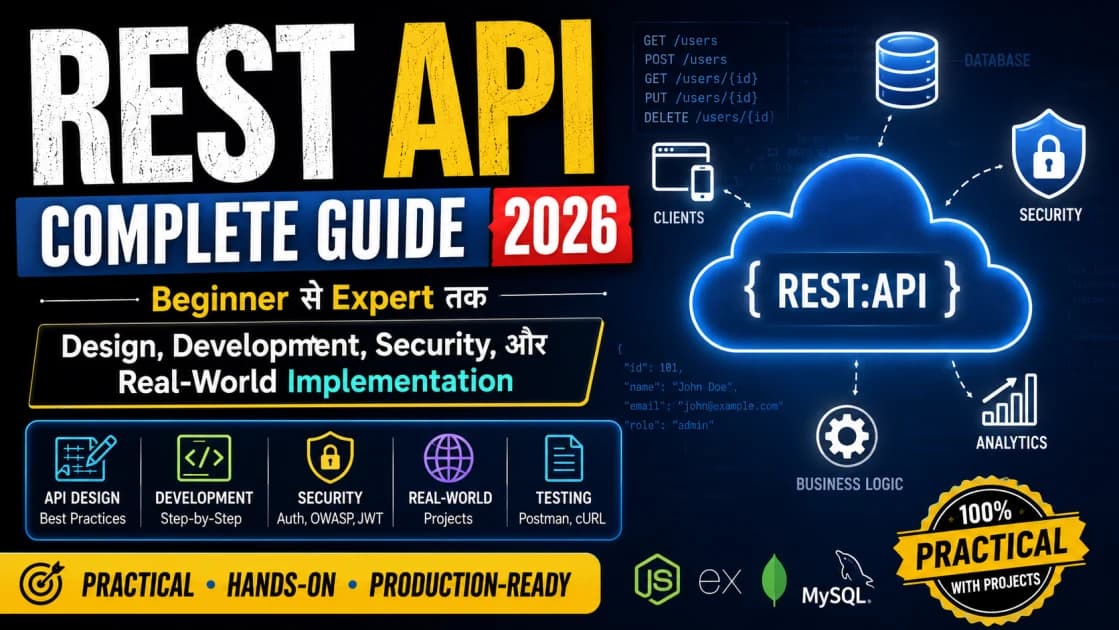
Table of Contents
- REST क्या है? (Fundamentals)
- REST का मतलब
- REST के 6 Core Principles
- HTTP Methods: कैसे बात करते हैं?
- GET - डेटा लेना
- POST - नया डेटा बनाना
- PUT - पूरा डेटा update करना
- PATCH - Partial डेटा update करना
- DELETE - डेटा delete करना
- HTTP Status Codes: जवाब समझना
- REST API Design: सही तरीका
- Naming Convention
- Request-Response Structure
- Pagination - बड़े datasets को handle करना
- Filtering, Sorting, Searching
- Real-World Example: एक Complete User Management API
- Scenario
- API Endpoints
- Detailed Implementation Example
- Security: सबसे Important Part
- Vulnerability 1: Unencrypted Data
- Vulnerability 2: No Authentication
- Vulnerability 3: SQL Injection
- Vulnerability 4: No Rate Limiting
- Security Checklist
- Performance Optimization
- Problem 1: N+1 Query Problem
- Problem 2: No Caching
- Problem 3: Large Response
- Performance Metrics
- Documentation: लोग कैसे समझें?
- Bad Documentation
- Good Documentation
- Best Documentation Tools
- Versioning: जब API change करना हो
- Strategy 1: URL Versioning
- Strategy 2: Header Versioning
- Strategy 3: Query Parameter
- Real-World Challenges और Solutions
- Challenge 1: Backward Compatibility
- Challenge 2: Rate Limiting
- Challenge 3: Error Handling
- Testing: API को Verify करना
- Unit Testing
- Integration Testing
- Load Testing
- Best Practices Summary
- API Career Path
- Junior Developer (Salary: ₹40,000-₹60,000/month)
- Mid-Level Developer (Salary: ₹60,000-₹120,000/month)
- Senior Developer (Salary: ₹120,000-₹300,000/month)
- FAQ
- अब क्या करो?
- Practice करो:
- Build करो Real Project:
- Deploy करो:
- Conclusion
- Resources for Further Learning
अगर तुम एक developer हो और REST API को नहीं समझते, तो यह ऐसा है जैसे एक डॉक्टर को anatomy का ज्ञान नहीं है।
REST API अभी का internet का backbone है।
95% modern applications REST API पर ही चलते हैं। Mobile apps से लेकर web applications, सब कुछ API के through ही communicate करता है।
लेकिन समस्या यह है कि बहुत से developers REST API को नहीं properly समझते।
वह सोचते हैं कि सिर्फ endpoints बना देना काफी है। लेकिन यह गलत है।
अच्छा API:
Secure होता है
Scalable होता है
Well-documented होता है
Error handling सही होता है
Performant होता है
मैंने पिछले 5 सालों में दर्जनों APIs design किए हैं। Production में भी चलते हैं। Millions of requests को handle करते हैं।
आज मैं तुम्हें सब कुछ बताता हूँ जो एक professional API developer को पता होना चाहिए।
REST क्या है? (Fundamentals)
REST का मतलब
REST = Representational State Transfer
यह एक architectural style है API बनाने के लिए।
Google के बारे में सोचो। जब तुम Google पर सवाल पूछते हो, तो क्या होता है?
तुम एक request भेजते हो (question)
Google उसे process करता है
Google एक response दे देता है (results)
REST API भी यही करता है। लेकिन structured तरीके से।
REST के 6 Core Principles
Principle 1: Client-Server Architecture
Client (जो request करता है) और Server (जो response देता है)
ये दोनों अलग हैं।
Communication: HTTP के through होता है।
Principle 2: Statelessness
Server को client का "history" नहीं रखना पड़ता।
हर request अपने आप में complete है।
Example:
Request 1: "मुझे product X दिखा"
Request 2: "X को cart में add करो"
Server को request 1 को remember करने की जरूरत नहीं है।
Principle 3: Cacheable
Response को cache किया जा सकता है।
Same request दोबारा न करनी पड़े।
Performance बढ़ता है।
Principle 4: Uniform Interface
सभी endpoints का एक consistent format है।
/api/users/ या /api/products/
Pattern clear है।
Principle 5: Layered System
API multiple layers में काम कर सकता है।
Client को backend architecture नहीं दिखता।
Principle 6: Code on Demand (Optional)
Server client को executable code भेज सकता है।
Rarely used है।
HTTP Methods: कैसे बात करते हैं?
API के साथ बात करने के लिए HTTP methods use होते हैं।
GET - डेटा लेना
Purpose: Server से data retrieve करना (बिना कोई change किए)
Syntax: GET /api/users/1

यह क्या करता है:
1. Server को request जाती है
2. Server user ID 1 का data ढूंढता है
3. Data के साथ response देता है
4. Client को data मिल जाता है

Real Example:
GET https://api.example.com/users/123

Response:
{
  "id": 123,
  "name": "John Doe",
  "email": "john@example.com"
}

Characteristics:
- Safe (कोई change नहीं)
- Idempotent (100 बार करो, same result)
- Browser में direct लिख सकते हो
POST - नया डेटा बनाना
Purpose: Server पर नया resource create करना
Syntax: POST /api/users

यह क्या करता है:
1. Client नया data भेजता है
2. Server उसे save करता है
3. Created resource के साथ response देता है

Real Example:
POST https://api.example.com/users

Request Body:
{
  "name": "Jane Doe",
  "email": "jane@example.com"
}

Response (201 Created):
{
  "id": 124,
  "name": "Jane Doe",
  "email": "jane@example.com"
}

Characteristics:
- Not safe (data create होता है)
- Not idempotent (हर बार नया record बनता है)
- Body में data send करते हैं
PUT - पूरा डेटा update करना
Purpose: पूरा resource replace करना
Syntax: PUT /api/users/1

यह क्या करता है:
1. Client पूरा updated data भेजता है
2. Server उसे completely replace करता है
3. Updated resource के साथ response देता है

Real Example:
PUT https://api.example.com/users/123

Request Body:
{
  "id": 123,
  "name": "John Updated",
  "email": "john.new@example.com"
}

Response:
{
  "id": 123,
  "name": "John Updated",
  "email": "john.new@example.com"
}

Characteristics:
- Not safe (data replace होता है)
- Idempotent (सब fields update हो जाएँ)
- Entire resource replace होता है
PATCH - Partial डेटा update करना
Purpose: सिर्फ specific fields को update करना
Syntax: PATCH /api/users/1

यह क्या करता है:
1. Client सिर्फ जो fields update करने हैं, भेजता है
2. Server सिर्फ उन fields को update करता है
3. बाकी fields unchanged रहते हैं

Real Example:
PATCH https://api.example.com/users/123

Request Body:
{
  "email": "john.newemail@example.com"
}

Response:
{
  "id": 123,
  "name": "John Doe",  // unchanged
  "email": "john.newemail@example.com"  // updated
}

Characteristics:
- Not safe
- Not always idempotent
- सिर्फ required fields भेजते हैं
DELETE - डेटा delete करना
Purpose: Resource को delete करना
Syntax: DELETE /api/users/1

यह क्या करता है:
1. Client delete करने के लिए request भेजता है
2. Server resource को delete करता है
3. Success message के साथ response देता है

Real Example:
DELETE https://api.example.com/users/123

Response:
{
  "message": "User deleted successfully",
  "id": 123
}

Characteristics:
- Not safe (data delete होता है)
- Idempotent (दोबारा delete करो, same result - error)
- No body usually
HTTP Status Codes: जवाब समझना
2xx - Success (सब कुछ ठीक चल गया)
  200 OK: Request successful, data में response
  201 Created: New resource created
  204 No Content: Successful, कोई data नहीं

4xx - Client Error (client की गलती)
  400 Bad Request: Invalid request format
  401 Unauthorized: Authentication required
  403 Forbidden: Authenticated पर access नहीं
  404 Not Found: Resource नहीं मिला
  429 Too Many Requests: Rate limit exceeded

5xx - Server Error (server की गलती)
  500 Internal Server Error: General error
  503 Service Unavailable: Server down
REST API Design: सही तरीका
Naming Convention
Good URLs:
GET /api/v1/users
GET /api/v1/users/123
GET /api/v1/users/123/posts
POST /api/v1/users
PUT /api/v1/users/123
DELETE /api/v1/users/123
Bad URLs:
GET /getUsers
GET /user?id=123
GET /getUserPosts?userId=123&postId=456
POST /createUser
PUT /updateUser?id=123
DELETE /deleteUser?id=123
Rules:
Nouns use करो, verbs नहीं
Plural use करो
Hyphens use करो, underscores नहीं
Lowercase रखो
Version control करो (/v1/, /v2/)
Request-Response Structure
Good Request:
json
{
  "name": "John Doe",
  "email": "john@example.com",
  "phone": "+1234567890"
}
Good Response:
json
{
  "success": true,
  "code": 200,
  "message": "User created successfully",
  "data": {
    "id": 124,
    "name": "John Doe",
    "email": "john@example.com",
    "createdAt": "2026-01-15T10:30:00Z"
  }
}
Bad Response:
json
{
  "status": "ok",
  "result": {...}
}
Pagination - बड़े datasets को handle करना
GET /api/v1/users?page=1&limit=10

Response:
{
  "data": [...],
  "pagination": {
    "page": 1,
    "limit": 10,
    "total": 500,
    "totalPages": 50
  }
}
Filtering, Sorting, Searching
GET /api/v1/users?role=admin&status=active&sort=name&search=john

Query Parameters:
- filter: role=admin, status=active
- sort: name (or -name for descending)
- search: "john"
- page: 1
- limit: 10
Real-World Example: एक Complete User Management API
Scenario
तुम्हें एक application के लिए User Management API बनाना है।

Features:
1. Users को list करना
2. नया user create करना
3. User information update करना
4. User को delete करना
5. Search और filter करना
API Endpoints
1. GET /api/v1/users
   - सभी users list करो
   - Pagination support
   - Filter by role, status
   - Search by name, email

2. GET /api/v1/users/:id
   - Specific user का detail दिखाओ

3. POST /api/v1/users
   - नया user create करो
   - Validation: name, email, phone

4. PUT /api/v1/users/:id
   - पूरा user update करो
   - Validation हर field का

5. PATCH /api/v1/users/:id
   - Partial update करो
   - सिर्फ required fields

6. DELETE /api/v1/users/:id
   - User को delete करो
   - Soft delete करना चाहिए (archived करना)
Detailed Implementation Example
POST /api/v1/users (नया user create करना)
javascript
// Request
POST /api/v1/users
Content-Type: application/json

{
  "name": "John Doe",
  "email": "john@example.com",
  "phone": "+1234567890",
  "role": "user"
}

// Validation करता है:
- name: required, string, 3-50 chars
- email: required, valid email format, unique
- phone: optional, valid phone format
- role: optional, enum: ['user', 'admin']

// Success Response (201 Created)
{
  "success": true,
  "code": 201,
  "message": "User created successfully",
  "data": {
    "id": 124,
    "name": "John Doe",
    "email": "john@example.com",
    "phone": "+1234567890",
    "role": "user",
    "createdAt": "2026-01-15T10:30:00Z",
    "updatedAt": "2026-01-15T10:30:00Z"
  }
}

// Error Response (400 Bad Request)
{
  "success": false,
  "code": 400,
  "message": "Validation failed",
  "errors": {
    "email": "Email is already in use"
  }
}
GET /api/v1/users (सभी users list करना)
javascript
// Request with Filters
GET /api/v1/users?page=1&limit=10&role=admin&search=john

// Response (200 OK)
{
  "success": true,
  "code": 200,
  "message": "Users retrieved successfully",
  "data": [
    {
      "id": 1,
      "name": "John Doe",
      "email": "john@example.com",
      "role": "admin",
      "status": "active"
    },
    {
      "id": 2,
      "name": "Jane John",
      "email": "jane@example.com",
      "role": "user",
      "status": "active"
    }
  ],
  "pagination": {
    "page": 1,
    "limit": 10,
    "total": 2,
    "totalPages": 1
  }
}
Security: सबसे Important Part
Vulnerability 1: Unencrypted Data
Bad:
GET http://api.example.com/users
(HTTP, not HTTPS)
Good:
GET https://api.example.com/users
(HTTPS - encrypted)
Why: Data intercept हो सकता है।
Vulnerability 2: No Authentication
Bad:
GET /api/v1/users/123
(कोई भी access कर सकता है)
Good:
GET /api/v1/users/123
Authorization: Bearer eyJhbGciOiJIUzI1NiIsInR5cCI6IkpXVCJ9...
(JWT token required)
Vulnerability 3: SQL Injection
Bad:
GET /api/v1/users?search=" OR "1"="1
(Database hack हो सकता है)
Good:
// Parameterized queries use करो
SELECT * FROM users WHERE name = ? LIMIT 10
(parameters safely pass करते हैं)
Vulnerability 4: No Rate Limiting
Bad:
किसी भी user को unlimited requests मार सकते हैं
(DDoS attack possible है)
Good:
Rate Limit: 100 requests per minute per user
(Server को overload नहीं होगा)
Security Checklist
[ ] HTTPS सब endpoints पर
[ ] Authentication (JWT या OAuth)
[ ] Authorization (role-based access control)
[ ] Input validation (हर field को check करो)
[ ] SQL injection protection
[ ] Rate limiting (DDoS से protection)
[ ] CORS properly configured (cross-domain requests)
[ ] Error messages generic रखो (sensitive info expose न हो)
[ ] Logging और monitoring सेटअप करो
[ ] Secrets (API keys, passwords) को .env में रखो
Performance Optimization
Problem 1: N+1 Query Problem
Bad:
GET /api/v1/users/123/posts

Process:
1. User को fetch करना (1 query)
2. हर post के लिए comments fetch करना (N queries)
Total: 1 + N queries (बहुत slow)
Good:
Eager loading use करो:
User.find(123).include(:posts, :comments)

या:

Single query: JOIN करके सब एक साथ लाओ
Total: 1 query (बहुत fast)
Problem 2: No Caching
Bad:
GET /api/v1/popular-posts
(हर बार database से fresh data लेना)
Good:
GET /api/v1/popular-posts
(Redis cache में से लाना, database hit नहीं)

Cache expire होता है हर 1 घंटे में।
Problem 3: Large Response
Bad:
GET /api/v1/users/123
Response: 10MB file with unnecessary data
Good:
Sparse fieldsets use करो:
GET /api/v1/users/123?fields=id,name,email

Response: सिर्फ required fields, 50KB
Performance Metrics
Good API:
- Response time: < 200ms (90th percentile)
- Availability: > 99.9%
- Error rate: < 0.1%
- Throughput: > 1000 requests/second

Bad API:
- Response time: > 1000ms
- Availability: < 95%
- Error rate: > 5%
Documentation: लोग कैसे समझें?
Bad Documentation
यह एक API है। इसे use करो।Good Documentation
### GET /api/v1/users

Description: Retrieve paginated list of all users with filters

Parameters:
- page (integer, optional): Page number, default=1
- limit (integer, optional): Items per page, default=10
- role (string, optional): Filter by role (admin, user)
- search (string, optional): Search by name or email

Request Example:
GET /api/v1/users?page=1&limit=10&role=admin

Response (200 OK):
{
  "success": true,
  "data": [...],
  "pagination": {...}
}

Error Response (400 Bad Request):
{
  "success": false,
  "errors": "Invalid page number"
}

Rate Limit:
- 100 requests per minute per user
- Headers: X-RateLimit-Limit, X-RateLimit-Remaining
Best Documentation Tools
Swagger/OpenAPI
Postman
API Blueprint
GraphQL (अगर GraphQL use कर रहे हो)
Versioning: जब API change करना हो
Strategy 1: URL Versioning
/api/v1/users
/api/v2/users
(different endpoints for different versions)
Strategy 2: Header Versioning
GET /api/users
Accept-Version: 2.0
(version को header में भेजते हैं)
Strategy 3: Query Parameter
GET /api/users?version=2
(version को parameter में भेजते हैं)
Best Practice: URL versioning ज्यादा clear है।
Real-World Challenges और Solutions
Challenge 1: Backward Compatibility
Problem: नया version लाना है, पर पुरानी applications को break नहीं करना।
Solution:
1. नया version launch करो (v2)
2. Deprecation warning दो (v1 में)
3. 6 महीने support दो दोनों को
4. फिर पुराना remove करो

Timeline:
- Month 1-2: v2 लॉन्च, v1 deprecate करो
- Month 2-7: दोनों support करो
- Month 8: v1 remove करो
Challenge 2: Rate Limiting
Problem: किसी user को बहुत requests मार सकते हैं।
Solution:
Redis-based rate limiting:

1. हर user के requests को track करो
2. Time window में limit set करो
3. Limit exceed होने पर 429 error दो
4. Client को retry करने को कहो

Example:
100 requests per minute per user
1000 requests per minute per IP
Challenge 3: Error Handling
Problem: Errors को consistent तरीके से handle करना।
Solution:
Error Response Format:

{
  "success": false,
  "code": 400,
  "message": "User-friendly message",
  "errorCode": "VALIDATION_FAILED",
  "details": {
    "email": "Invalid email format"
  },
  "timestamp": "2026-01-15T10:30:00Z",
  "requestId": "req-123-456"
}

हर error का:
- Clear message
- Error code (for programmatic handling)
- HTTP status code
- Details about what went wrong
Testing: API को Verify करना
Unit Testing
python
def test_create_user():
    response = post('/api/v1/users', {
        "name": "John",
        "email": "john@example.com"
    })

    assert response.status_code == 201
    assert response.data['id'] is not None
    assert response.data['name'] == "John"
Integration Testing
python
def test_user_workflow():
    # Create user
    user = create_user("john@example.com")

    # Update user
    update_user(user['id'], {"name": "John Updated"})

    # Get user
    retrieved = get_user(user['id'])
    assert retrieved['name'] == "John Updated"

    # Delete user
    delete_user(user['id'])

    # Verify deleted
    assert get_user(user['id']).status_code == 404
Load Testing
Tool: Apache JMeter, Locust

Test:
- 1000 concurrent users
- 100 requests per second
- Duration: 10 minutes

Check:
- Response time < 200ms
- No errors
- Server stability
Best Practices Summary
1. REST principles follow करो
2. Meaningful URLs use करो
3. Correct HTTP methods use करो
4. Proper status codes return करो
5. Comprehensive error handling
6. Input validation हर time
7. Authentication + Authorization
8. Rate limiting implement करो
9. Caching use करो smartly
10. Documentation maintain करो
11. Versioning strategy have करो
12. Security audit regular करो
13. Testing comprehensive करो
14. Monitoring setup करो
15. Logging implement करो
API Career Path
Junior Developer (Salary: ₹40,000-₹60,000/month)
Skills:
- REST fundamentals
- Basic endpoint building
- Simple database integration
- Basic error handling

Tasks:
- Simple endpoints बनाना
- Database queries write करना
- Basic documentation लिखना
Mid-Level Developer (Salary: ₹60,000-₹120,000/month)
Skills:
- API design expertise
- Security implementation
- Performance optimization
- System design basics

Tasks:
- Complex APIs design करना
- Security issues identify करना
- Performance bottlenecks fix करना
Senior Developer (Salary: ₹120,000-₹300,000/month)
Skills:
- Scalable system design
- Microservices architecture
- DevOps knowledge
- Team leadership

Tasks:
- Architecture decisions लेना
- Complex systems design करना
- Team mentor करना
FAQ
Q: REST के बाद GraphQL क्यों आया?
A: GraphQL client को flexibility देता है। exact fields request कर सकते हो। Over-fetching और under-fetching की problems solve करता है।
Q: क्या हमेशा REST ही use करनी चाहिए?
A: नहीं। GraphQL, gRPC, WebSockets - सब के अपने use cases हैं। Project के requirement के अनुसार चुनो।
Q: API को कितनी तेजी से design करना चाहिए?
A: Design को time दो। जल्दबाजी में बुरे decisions आते हैं। Later में change करना बहुत महंगा है।
Q: क्या सभी databases के लिए same API design चलता है?
A: ज्यादातर हाँ। लेकिन database के अनुसार optimization जरूरी है।
अब क्या करो?
Practice करो:
Day 1-2: Basic CRUD API बना (Users)
Day 3-4: Pagination + Filtering add करो
Day 5: Authentication add करो (JWT)
Day 6: Error handling improve करो
Day 7: Documentation लिख
Build करो Real Project:
Blog API:
- Posts CRUD
- Comments system
- User authentication
- Search and filter
- Rate limiting
Deploy करो:
Heroku, AWS, या DigitalOcean पर
Production में test करो
Monitoring setup करो
Conclusion
REST API modern web का foundation है।
जो developers इसे well understand करते हैं, वह:
Better systems design कर सकते हैं
Scalable applications बना सकते हैं
High-paying jobs में entry मिल सकती है
तो invest करो इस skill में।
2026 में API developers की demand बहुत ज्यादा है।
Resources for Further Learning
REST API Best Practices (Google Cloud)
RESTful Web Services (O'Reilly book)
Swagger Documentation
JSON API Specification
OpenAPI Specification
Happy API Building! 🚀